How to Pass a Site Manager’s RAMS Review First Time
At a Glance: How to Pass the RAMS Review
- Why RAMS fail: Rejections usually happen when RAMS list generic hazards or tools that are not actually present on the site.
- The passing standard: Site managers approve RAMS that reflect the specific site layout, access routes, and working environment.
- Generic vs site-specific: Generic RAMS describe a trade in theory. Site-specific RAMS describe how the work will be done on this site, on this day.
- When RAMS are required: Typically required when working under a Principal Contractor or in managed environments such as schools, hospitals, and offices.
- The boundary: Standard RAMS are not suitable for high-risk work such as asbestos, confined spaces, or deep excavations, which require specialist planning.
The copy and paste trap
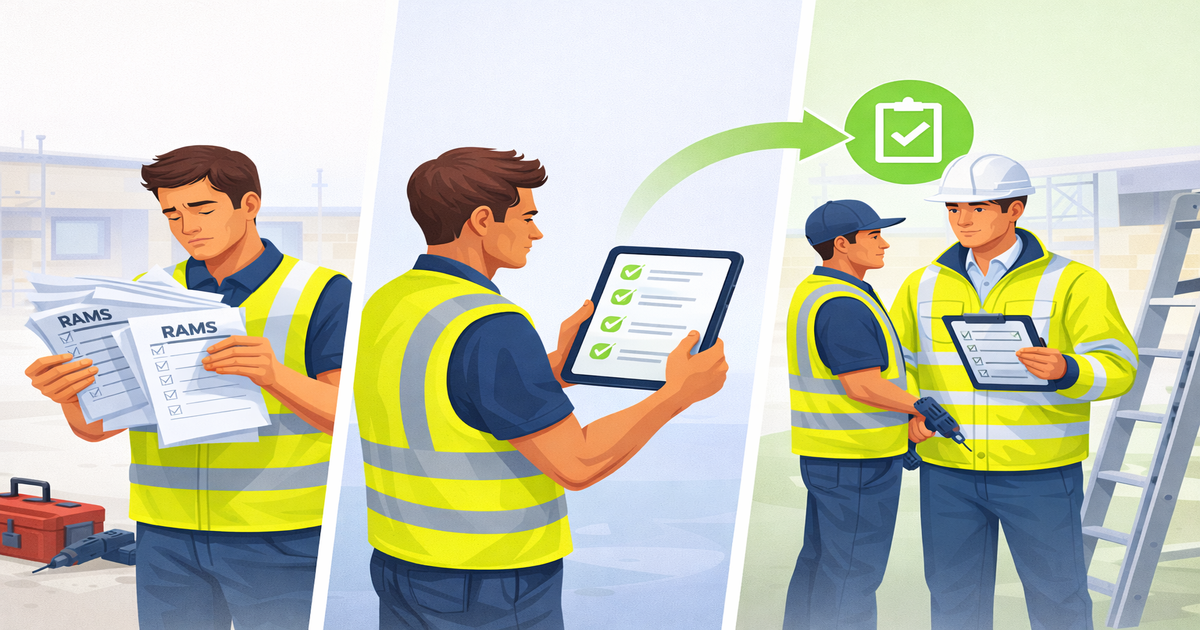
You hand your folder over at the site induction. The site manager flips to page four, stops, and looks at the tools list.
He points to a line item for “Hot Works and Grinding” and then looks at the pile of carpet tiles in your van.
“You’re here to lay carpet tiles,” he says. “Why does your risk assessment say you’re using an angle grinder? And why is the site address on the cover sheet still listed as the job you did last month in Leeds?”
The induction stops. You are told to go back to the van and sort the paperwork out. You lose two hours of the morning sitting on the dashboard trying to scribble out the wrong bits with a biro.
Why templates fail in the real world
This sort of delay is routine on site. It is usually caused by paperwork that tries to describe every possible job, rather than the one actually being done.
Most contractors grab a standard “Builder’s RAMS” template online. These documents are often bloated with hazards like excavations, roof work, and crane operations. That approach makes little sense when the work is routine and better suited to SME-scale RAMS.
The “Safe” Template Contradiction
⚠️ The Template Lists
“Deep Excavations”
“Heavy Plant Machinery”
“Roof Work”
✅ The Actual Job
“Interior Fit-Out”
“Hand Tools Only”
“Ground Floor”
When you use that document for a simple fit-out job, you hand over a pack of contradictions.
The site manager sees a document that claims you are managing risks that do not exist. This tells him you have not looked at the actual job.
What the site manager is reading
Without the filler, a RAMS document is simply a plan for how the day’s work will be carried out.
- Risk Assessment: The specific hazards on this site (e.g., other trades working above you, trailing cables in the corridor).
- Method Statement: The sequence of work you will follow to get the job done without hurting anyone.
It is an instruction manual for your team on this specific project. It is not a generic library of every risk in the construction industry.
“A RAMS document is simply a plan for how the day’s work will be carried out.”
When you need to provide them
You generally do not need written RAMS for domestic work unless the homeowner asks for them. The requirement kicks in when you enter a managed environment.
You will need approved paperwork for:
- Sub-contracting to a Principal Contractor
- Work in schools, hospitals, or public buildings
- Office fit-outs and retail refurbishments
- Maintenance contracts for housing associations
In these scenarios, the person running the site is expected to check that your method statement makes sense before work starts. That is why the paperwork gets scrutinised. That is why they are fussy.
The scope of routine work
In most small firms, the work is repeatable and well understood. The associated risks are familiar and managed as part of normal practice, for example:
- Joinery and second fix carpentry
- Plastering and drylining
- Floor laying and tiling
- Painting and decorating
- Minor electrical or plumbing works (non-gas)
- Suspended ceiling installation
If your work falls into this bracket, your RAMS should be short and to the point. They should not look like a demolition plan.
Why generic RAMS get rejected
The difference between generic and site-specific RAMS is usually the reason for rejection.
A generic document lists standard hazards for a trade (e.g., “Working with wood dust”). It applies to any joiner on any site.
A site-specific document addresses the actual conditions (e.g., “Cutting wood in the designated cutting bay on the ground floor to prevent dust migration to the occupied offices upstairs”).
Site managers reject generic RAMS because they do not account for the environment. If your document ignores the fact that the site is a busy school corridor, it is worthless.
“The manager trusts a document that mentions the specific constraints of their site.”
Where the line is drawn
There is a hard limit to this simplified approach. If your work involves high-risk activities, standard RAMS are not enough.
This logic does not apply to:
- Working with asbestos or lead
- Confined spaces
- Deep excavations (over 1.2m)
- Structural steel erection
- Chemical stripping or industrial cleaning
Critical Scope Exclusions
Standard RAMS templates are never sufficient for high-risk work. These tasks require specialist permits and licensing.
Confined Spaces
Excavations > 1.2m
Structural Steel
These tasks require specialist planning, permits, and often specific licenses. Trying to cover these risks in a standard trade risk assessment is a red flag that will get you removed from the site immediately.
What the HSE actually wants
The Health and Safety Executive (HSE) focuses on “suitable and sufficient” assessments. They do not demand length. They demand relevance.
HSE guidance suggests that paperwork should be proportional to the risk. For lower-risk trades, a concise document that covers the main hazards is far better than a thick document that buries the truth in legal filler.
The administrative burden
Keeping paperwork specific is difficult when you are running a business from a van. You might do a shop fit on Monday and a school repair on Wednesday.
The risks are totally different, but the temptation is to use the same document to save time. Editing a static Word document on a mobile phone screen is frustrating. You delete one line and the formatting breaks.
You try to add a specific hazard and the page numbers go wrong. Eventually, people give up and just send the old file, hoping for the best.
Moving away from editable templates
This is where dedicated RAMS compliance software like RapidRAMS takes a different approach. Instead of asking you to edit text, it asks you to declare facts.
The process starts by selecting the task, equipment, and site setting. The system checks eligibility almost immediately, so you know early whether it can proceed. Where it does, the document is generated strictly from those choices.
Consistency controls
The main reason for rejection is contradiction (e.g., saying you are drilling but listing no eye protection). The system links the choices together. Choosing a noisy tool brings in hearing protection.
Selecting scaffold access brings in checks like Scafftag status. That linkage removes the small contradictions site managers notice first. This stops you from accidentally handing over a document that suggests the work is outside your competence.
How The Logic Engine Works
The system automatically links hazards to controls to prevent contradictions.
Concrete Breaker 🔨
Ear Defenders ✅
The result
The document lands on the site manager’s desk with zero padding. It references the specific site address, the tools in the van, and the specific hazards of the job.
Because it is accurate, it passes the mental construction RAMS checklist that every site manager runs through their head.
Getting the green light
The goal is not a perfect folder. It’s getting the gate unlocked. Give the site manager a document that actually describes the job, and they’ll stop looking for reasons to turn you away.
Pass your next RAMS review
Task and site-specific RAMS without the guesswork